A lot of podcast listening now happens on YouTube. According to the Cumulus Media / Signal Hill Podcast Download report, YouTube accounts for roughly 30% of podcast listening time in the US. Joe Rogan, Huberman Lab, Lex Fridman, Diary of a CEO. These aren't short clips. They're two- and three-hour conversations.
YouTube's built-in transcript works fine for a ten-minute tutorial. For a three-hour interview, it's painful. The text comes in tiny fragments, there's no punctuation, no speaker labels, and copying it all by hand takes forever.
If you need a transcript you can actually search, quote, or publish, you want something better than the side panel.
Quick answer: Copy the YouTube video URL and paste it into the YouTube podcast transcript generator. You get a full transcript with timestamps and AI insights in 1 minute, even on three-hour episodes. Export as TXT, SRT, or VTT. For general YouTube videos (not long podcast interviews), see how to transcribe a YouTube video to text.
Method 1: Podtyper (best for long podcast episodes)
Paste the YouTube URL. That's the whole setup.
Copy the URL from the address bar, or right-click the video → Copy video URL.
Both formats work:
https://www.youtube.com/watch?v=LTWgWFQmZd4
https://youtu.be/LTWgWFQmZd4
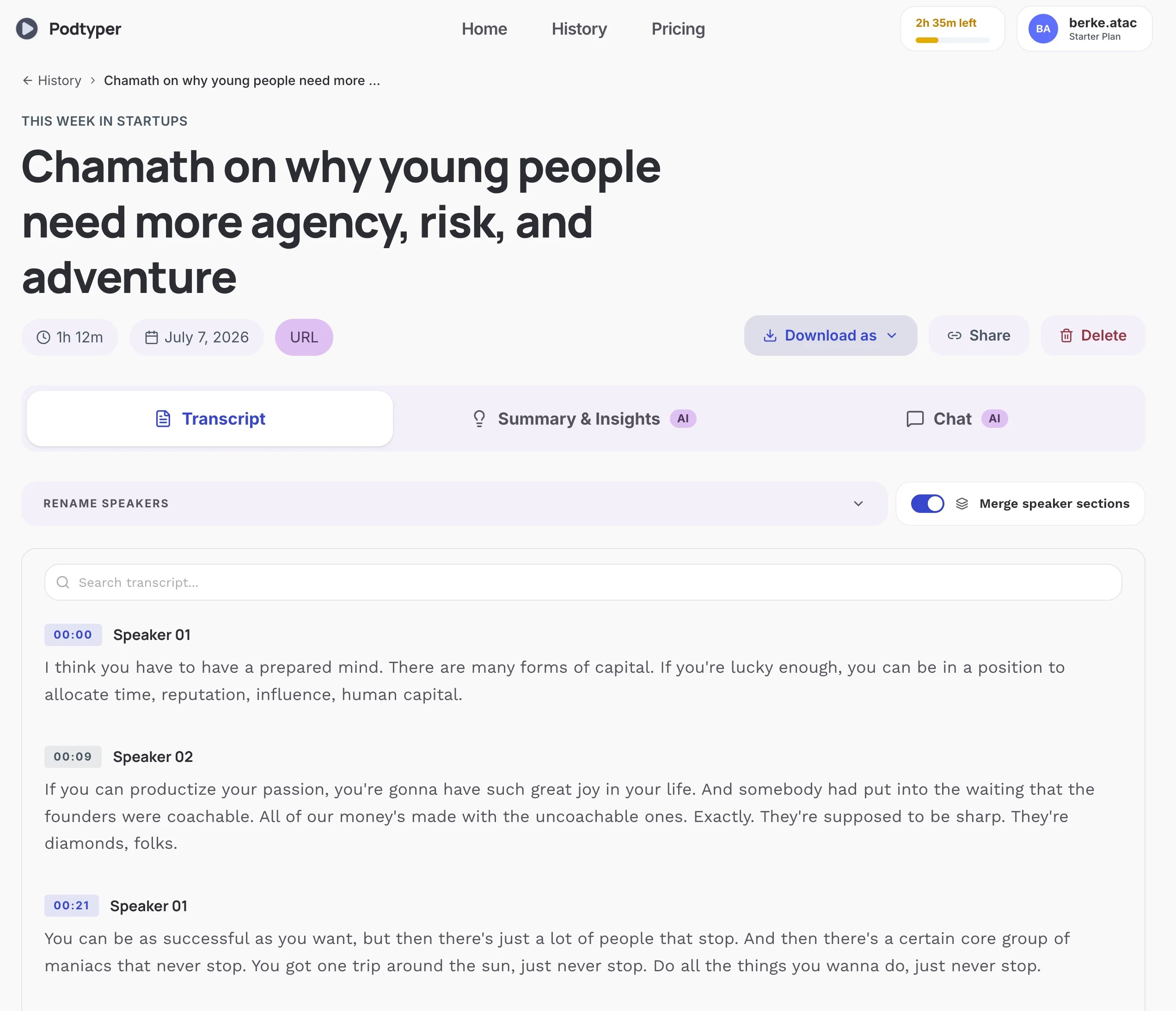
Go to podtyper.com, paste, click Transcribe. Processing takes 1 minute whether the episode is 30 minutes or three hours.
What you get back:
- Full transcript with timestamps on every line
- AI summary of the whole episode
- Key takeaways and notable quotes
- Export as TXT, SRT, or VTT
This matters on interview podcasts where two or three people talk for hours. YouTube's auto-captions don't give you a clean, exportable file. Podtyper does.
Free tier: 30 minutes/month, no credit card. Start here →
Method 2: YouTube's Show Transcript panel
YouTube generates automatic captions for most public videos. You can read them without any third-party tool.
- Open the video in a desktop browser (this doesn't work on mobile)
- Click the ... button below the video title
- Select Show transcript
- A panel opens on the right with timestamped lines
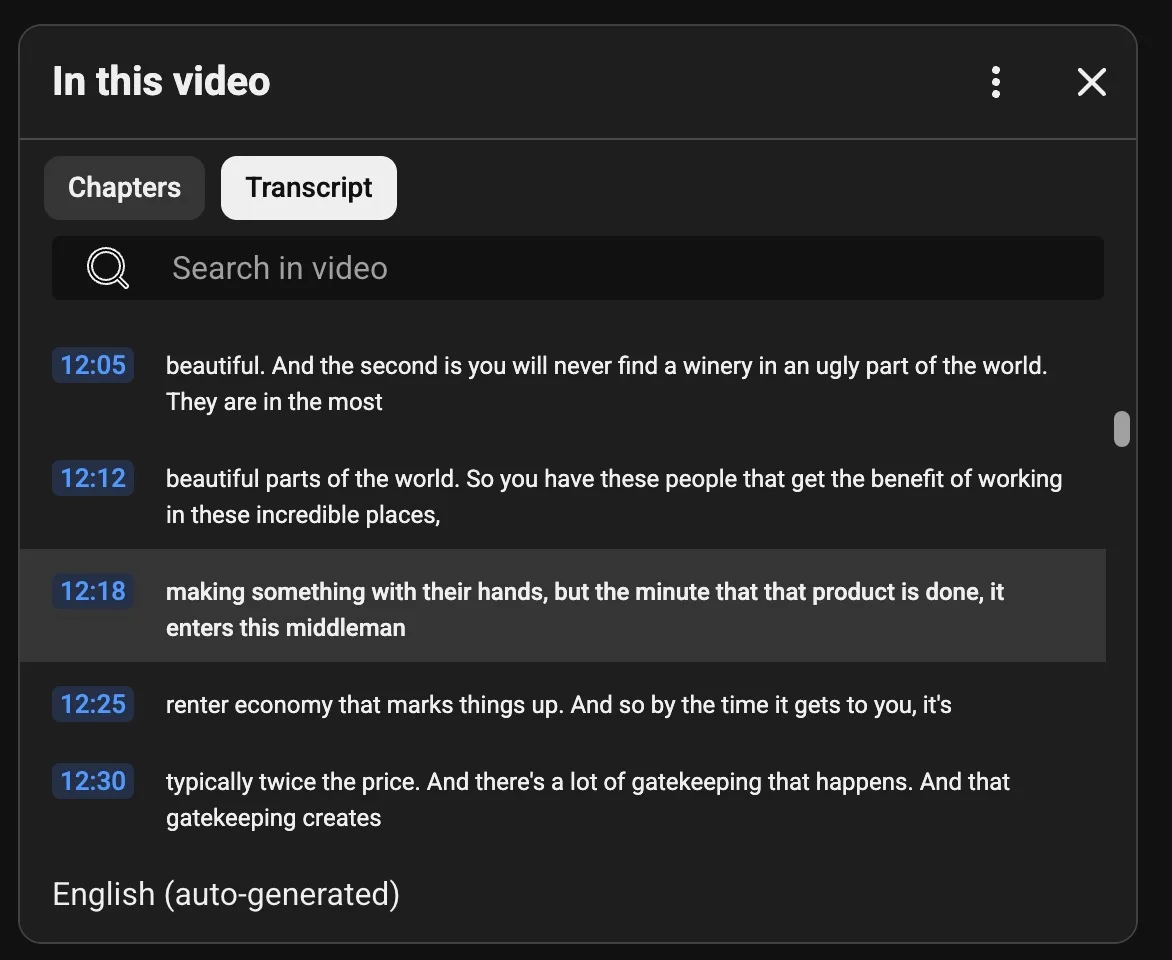
Click any line to jump to that moment. Toggle timestamps off for slightly cleaner reading.
Copying the text: There's no "copy all" button. Select the text manually (click first line, scroll to bottom, Shift+click last line), then copy and paste into a document. On a 90-minute podcast, that scroll-and-select process is tedious.
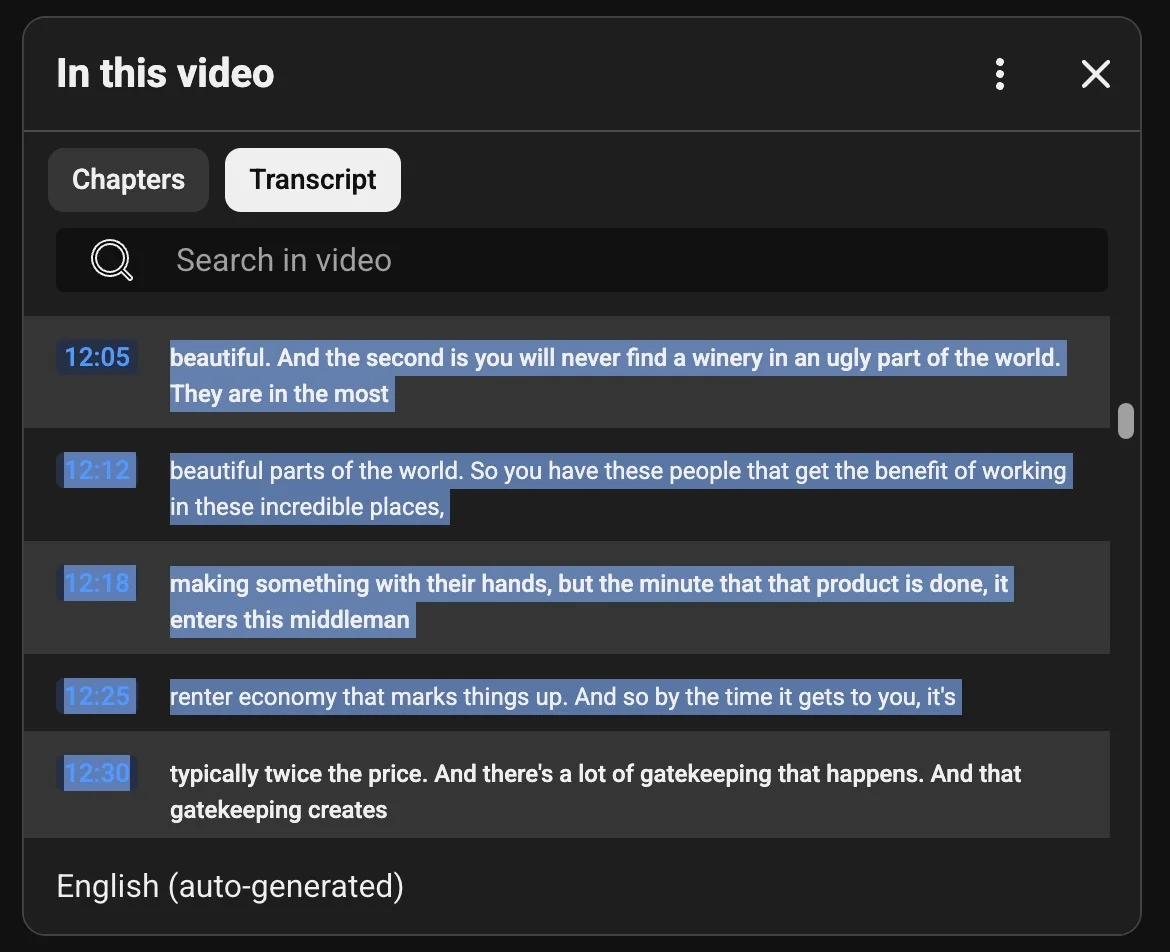
What you don't get on podcast-length content:
- No speaker labels (one undifferentiated block)
- Text broken into 3–5 word fragments instead of sentences
- Missing punctuation on most auto-generated tracks
- Accuracy drops on crosstalk, accents, and technical terms (roughly 85–92% on clear single-speaker audio)
- No SRT download unless it's your own channel
Fine for finding one specific moment. Not fine for quoting, publishing, or working with the full episode text.
Method 3: YouTube Studio export (your channel only)
If you uploaded the podcast video yourself, you can download the auto-generated captions as SRT from studio.youtube.com:
- Click Subtitles in the left sidebar
- Select the video
- Under the auto-generated track, click ⋮ → Download
- Choose SRT
You get a timestamped file you can edit. Useful as a starting draft if you want to clean up YouTube's auto-captions yourself. Only works for videos on your own channel.
Why YouTube podcast episodes are harder than regular videos
Length. A three-hour Joe Rogan episode is 15,000–20,000 words. YouTube's transcript panel wasn't built for that. Scrolling through thousands of fragmented lines to copy text by hand is miserable.
Multiple speakers. Interview podcasts have two, three, sometimes four people talking. YouTube auto-captions don't identify speakers. When you're looking for a specific quote, not knowing who said it is a real problem.
Crosstalk. Host and guest talking over each other. Auto-captions pick one voice and drop the other.
Technical vocabulary. Science podcasts (Huberman Lab), tech interviews (Lex Fridman), business shows. Proper nouns and jargon are where auto-captions fail most often.
Comparison
| Method | AI summary | Good for 2hr+ episodes | Export | Setup |
|---|---|---|---|---|
| Podtyper | Yes | Yes | TXT, SRT, VTT | Paste URL |
| YouTube Show Transcript | No | Painful | Manual copy only | None |
| YouTube Studio export | No | Yes (own channel) | SRT | YouTube channel |
Use cases for YouTube podcast transcripts
Pull quotes for social clips. Search the transcript for the strongest lines. Grab the timestamp, cut the clip, post the quote. The text is already there.
Turn episodes into blog posts or newsletters. A transcript is most of a written article. Light editing, add headers, publish. See how to repurpose a podcast into blog posts for the workflow.
Upload clean captions back to YouTube. Export SRT from Podtyper, upload via YouTube Studio. Better captions help watch time and accessibility. YouTube's algorithm also reads caption text for recommendations. More on this in podcast SEO with transcripts.
Search a creator's back catalog. Download transcripts from multiple episodes, search the files together. Find every time a topic came up across dozens of interviews.
Examples: popular YouTube podcast channels
Huberman Lab posts full episodes on YouTube, often 2+ hours of neuroscience discussion. Technical terms everywhere. YouTube auto-captions miss a lot of them. A proper transcript with timestamps makes quoting and note-taking much easier.
The Joe Rogan Experience runs 2–3 hours per episode on YouTube. The built-in transcript panel works for a quick lookup, but copying the full text manually isn't practical. Paste the URL into Podtyper and get the whole thing in a few minutes.
Lex Fridman Podcast long-form AI and science interviews with multiple guests. Same problem: hours of multi-speaker content that YouTube's side panel wasn't designed for.
Frequently asked questions
Can I get a transcript of a Joe Rogan episode on YouTube?
Yes. Copy the YouTube URL for any public JRE upload and paste it into Podtyper. Processing takes a few minutes regardless of episode length. YouTube's built-in transcript also works for quick lookups, but copying the full text from a 3-hour episode manually is impractical.
How long does it take to transcribe a 3-hour YouTube podcast?
About 1 minute with Podtyper. Processing runs in parallel across the audio, so a three-hour episode takes roughly the same time as a thirty-minute one.
Does YouTube auto-caption work for podcast interviews?
It works, but with limits. Auto-captions on multi-speaker interview audio sit around 85–92% accuracy. No clean export, fragmented lines, missing punctuation. Fine for casual viewing. Not fine for professional use. AI transcription with state-of-the-art speech-to-text models hits 99%+ word-level accuracy on clean audio.
Can I export YouTube's built-in transcript cleanly?
Not really. YouTube's Show Transcript panel is awkward to copy in full, especially on long episodes. Dedicated AI transcription tools return a downloadable file with timestamps, summaries, and export formats like TXT, SRT, and VTT.
What's the difference between a YouTube video transcript and a podcast transcript?
Functionally, nothing. Both are text versions of spoken audio. The difference is format: YouTube podcast episodes are longer, multi-speaker, and uploaded as video. The tools and accuracy expectations differ because of that. A 5-minute tutorial and a 3-hour interview need different approaches.
Can I transcribe a YouTube podcast on my phone?
YouTube's Show Transcript feature is desktop-only. On mobile, copy the video URL, open podtyper.com in your browser, paste, and export when done.
YouTube's transcript panel is fine for a quick "what did they say at 47:00?" lookup on a short video.
For a two-hour interview you need to quote, publish, or search, paste the URL into Podtyper and download the full transcript with timestamps and AI insights. You can also browse popular podcast transcript hubs for well-known shows.
Also on Spotify or Apple Podcasts? See how to copy a Spotify podcast transcript and how to get an Apple Podcasts transcript.